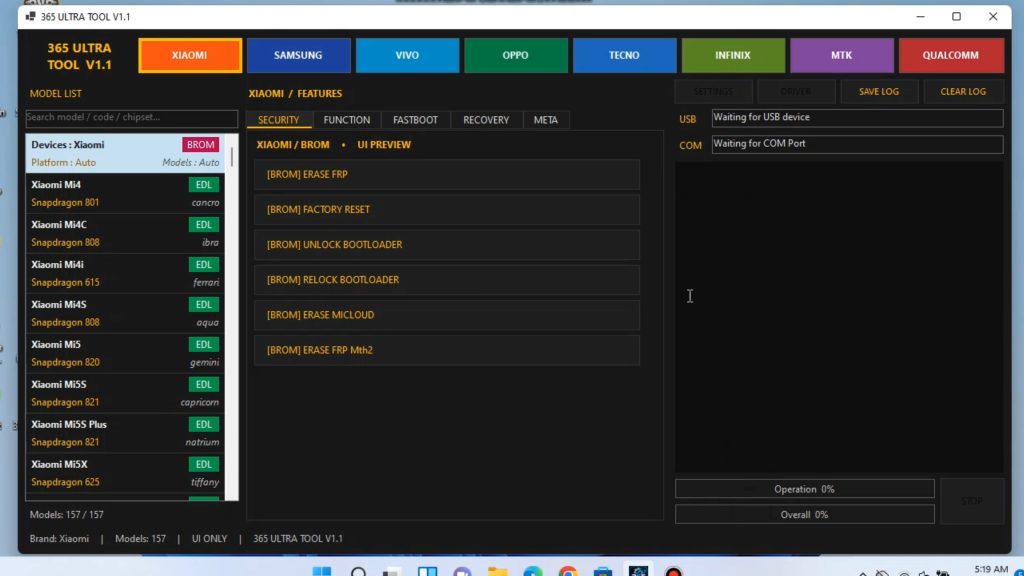
Best Free Mobile Repair & Unlock Tool for Technicians: 365 Ultra Tool Guide
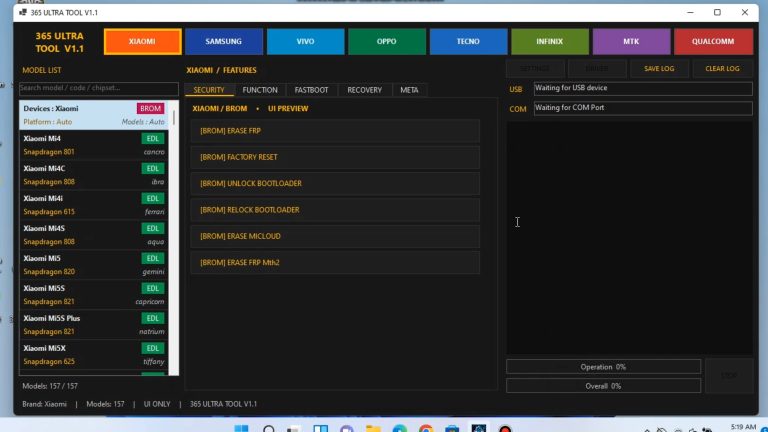
365 Ultra Unlock Tool is a lightweight, all-in-one software utility designed for smartphone repair technicians, mobile enthusiasts, and everyday users. Whether you are dealing with a forgotten screen pattern, factory reset protection (FRP) locks, or carrier restrictions, 365 Ultra Unlock delivers fast, reliable, and user-friendly servicing capabilities across major smartphone chipsets and brands.
Key Features
- Instant FRP Bypass: Remove Factory Reset Protection (Google Account lock) on supported Android smartphones without complex technical procedures.
- Screen Lock Removal: Reset or wipe pattern, PIN, password, and fingerprint locks with simple 1-click execution.
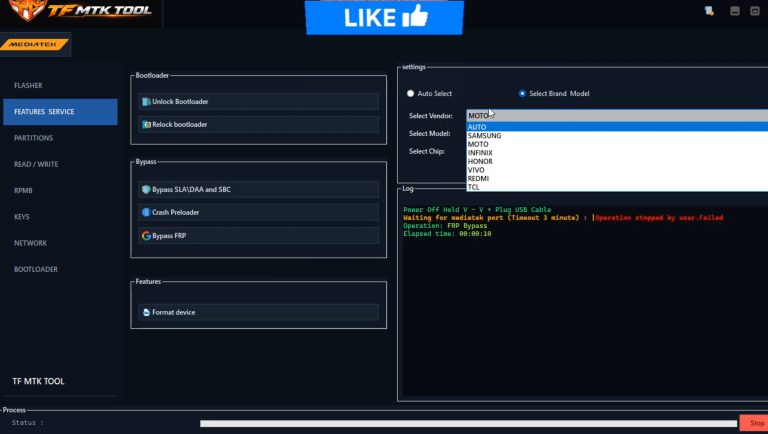
- Broad Chipset Support: Compatible with devices powered by MediaTek (MTK), Qualcomm (EDL Mode), and Spreadtrum/Unisoc (SPD) processors.
- Multi-Brand Compatibility: Optimized for popular brands including Samsung, Xiaomi (Redmi/Poco), Vivo, Oppo, Realme, Infinix, Tecno, and Huawei.
- Flashing and Firmware Repair: Flash official stock ROMs, fix bootloop issues, repair soft-bricked devices, and rewrite firmware partitions.
- Factory Reset & Userdata Wipe: Clean user partitions directly via Fastboot, BROM, Meta Mode, or Test Point/EDL modes.
- Clean, User-Friendly Interface: Clear button layout and step-by-step connection guides make device servicing straightforward without steep learning curves.
System Requirements
- Operating System: Windows 7 / 8 / 10 / 11 (32-bit & 64-bit)
- Processor: Intel Core i3 or equivalent (Core i5 recommended)
- Memory (RAM): 4 GB minimum (8 GB recommended)
- Storage: At least 2 GB of free disk space
- USB Ports: Stable USB 2.0 or USB 3.0 connection
- Prerequisites: USB Driver packages installed (MTK VCOM, Qualcomm 9008, ADB & Fastboot Drivers, LibUSB filter)
How to Use 365 Ultra Unlock Tool
- Download and Extract: Download the latest archive file and extract it using WinRAR or 7-Zip to your local drive (preferably C:\).
- Install Required Drivers: Install proper USB drivers (Qualcomm, MediaTek, and Universal ADB drivers) and reboot your PC.
- Launch the Program: Right-click 365 Ultra Unlock Tool.exe and select Run as administrator.
- Select Brand & Chipset: Navigate through the tabs, select your phone’s brand, model, or CPU architecture.
- Connect Device: Power off the phone and connect it via USB while holding the required key combination (Volume Up/Down or Test Point for EDL/BROM).
- Execute Operation: Click the target action (e.g., Remove FRP, Factory Reset, or Flash) and wait until the log console displays a success message.
Frequently Asked Questions (FAQ)
Does this tool delete user data when removing FRP?
Standard FRP bypass operations only clear the persistent FRP partition (frp or persistent) and leave personal data intact whenever technically possible. However, performing a full Factory Reset or Format Userdata will erase all personal files.
Do I need an active internet connection?
An active internet connection is recommended for server verification, signature checks, and downloading auxiliary loader files or configurations.
Why does my antivirus flag the tool?
GSM servicing software often uses obfuscation or low-level USB driver hooks that trigger false-positive alerts in security software. Ensure you download files only from trusted sources, and temporarily whitelist the tool’s folder in Windows Defender if needed.
Disclaimer: *This software is intended strictly for educationa
click here to : – Download
password :- bdlikhon