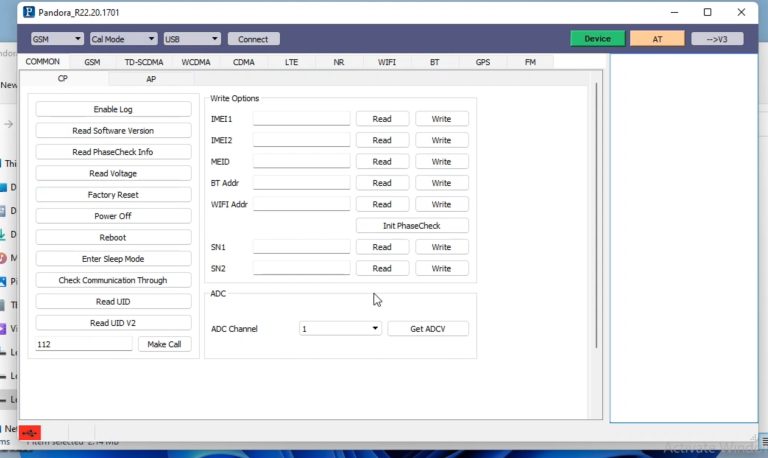
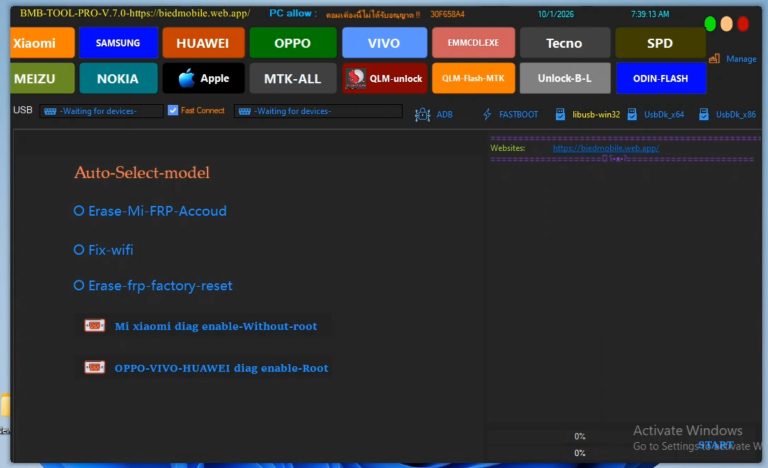
BADER TEC UNISOC SPREADTRUM TOOL 2026 Beta Free Download
In the modern mobile servicing industry, hardware and software repair technicians face daily challenges when servicing Android devices. Customers frequently visit repair workshops because they have forgotten their device password, PIN, pattern lock, or are trapped on the Google Factory Reset Protection (FRP) screen following a hard reset. Dealing with these security locks requires specialized software utilities that can communicate directly with the device’s chipset.
For mobile hardware and software engineers, having access to reliable, fast, and cost-effective servicing utilities is vital. While paid professional dongles and subscription-based software exist in the market, beginner repair technicians often seek powerful free utilities to start their professional career without heavy overhead costs.
Today, we are diving deep into one of the **best mobile unlocking tools** released for Spreadtrum and Unisoc processors: the **BADER TEC UNISOC SPREADTRUM TOOL 2026 Beta Version**. In this comprehensive guide, we will explore its primary features, supported device models, modern security exploit compatibility, step-by-step setup guide, and real-world shop performance.
—
## What is BADER TEC UNISOC SPREADTRUM TOOL 2026 Beta?
The **BADER TEC UNISOC SPREADTRUM TOOL 2026 Beta Version** is a specialized, lightweight software utility designed specifically for Android smartphones running on Unisoc (formerly Spreadtrum / SPD) System-on-Chips (SoCs). Unisoc chipsets power a massive percentage of budget and mid-range Android smartphones across globally recognized brands such as Infinix, Tecno, iTel, Realme, Gionee, and Andromax.
Because Unisoc devices utilize unique Bootrom (BROM) protocols and DIAG communication modes, generic flashing software often fails to service modern security builds. This dedicated utility addresses that gap by providing full servicing capabilities up to 2026 security patch levels.
### Key Servicing Capabilities:
1. **FRP Unlock (Google Account Bypass):** Instantly reset Factory Reset Protection across supported Unisoc chipsets without requiring complex manual bypass methods.
2. **Screen Lock Unlock:** Remove user locks including PIN, Password, and Pattern locks seamlessly.
3. **Factory Reset / Hard Reset:** Restore locked devices back to default factory settings directly via hardware boot interface mode.
4. **2026 Exploit Security Support:** Servicing new security patches on modern Unisoc smartphones where traditional methods are blocked.
—
## Why Every Mobile Repair Technician Needs a Dedicated Unisoc Tool
As mobile phone operating systems advance to Android 11, 12, 13, and 14, manufacturers have tightened security protocols around bootloader verification and hardware handshakes. Traditional emergency dial code bypasses or combination firmware methods are increasingly patched by security updates.
For repair shop owners, attempting manual workarounds on modern Unisoc devices can lead to wasted labor hours or software bricking. Utilizing a dedicated **frp tool for mobile repair technician** workflows streamlines shop operations. The BADER TEC UNISOC SPREADTRUM TOOL 2026 Beta leverages Direct Bootrom exploit protocols, enabling technicians to complete servicing tasks within seconds.
—
## Supported Models List (Updated 2026 Security Exploit Support)
Below is the structured breakdown of smartphone models verified to work with the **BADER TEC UNISOC SPREADTRUM TOOL 2026 Beta Version**.
### 1. Infinix Series
* **Infinix Hot 10i** (PR652B – Unisoc Exploit New Security)
* **Infinix Hot 30i** (X669C – Unisoc Exploit New Security)
* **Infinix Hot 40i** (X6528B – Unisoc Exploit New Security)
* **Infinix Hot 12 Play** (X6816C – Unisoc)
* **Infinix Smart 6-A** (X6511 – Unisoc Exploit New Security)
* **Infinix Smart 6-B** (X6511B – Unisoc Exploit New Security)
### 2. iTel Series
* **iTel A17** (WS006X – Unisoc)
* **iTel A23** (A23 – Unisoc Exploit New Security)
* **iTel A23 Pro** (L5006C – Unisoc Exploit New Security)
* **iTel A25** (L5002 – Unisoc Exploit New Security)
* **iTel A25 Pro** (L5002P – Unisoc Exploit New Security)
* **iTel A26** (A571L – Unisoc Exploit New Security)
* **iTel A27** (A551L – Unisoc Exploit New Security)
* **iTel A33 Plus** (A509W – Unisoc)
* **iTel A33** (W5001P – Unisoc)
* **iTel A46** (L5503 – Unisoc Exploit New Security)
* **iTel A48** (Exploit New Security)
* **iTel A49** (A661L – Unisoc Exploit New Security)
* **iTel A55** (W6003 – Unisoc)
* **iTel A56 Pro** (W6004P – Unisoc)
* **iTel A56** (W6004 – Unisoc)
* **iTel A57** (A611W – Unisoc)
* **iTel A57** (A611WP – Unisoc)
* **iTel Vision 1** (L6005 – Unisoc Exploit New Security)
* **iTel Vision 1 Plus** (L6501 – Unisoc Exploit New Security)
* **iTel Vision 1 Pro** (L6502 – Unisoc Exploit New Security)
* **iTel Vision 2** (Exploit New Security)
* **iTel Vision 2S** (P651L – Unisoc Exploit New Security)
* **iTel Vision 3 Plus** (P682LP – Unisoc Exploit New Security)
### 3. Realme Series
* **Realme C11** (RMX3231 – Unisoc Exploit New Security)
* **Realme C21Y** (RMX3261 – Unisoc)
* **Realme C21Y** (RMX3263 – Unisoc)
* **Realme C25Y** (RMX3265 – Unisoc)
* **Realme C25Y** (RMX3269 – Unisoc)
* **Realme C30** (RMX3581 – Unisoc Exploit New Security)
* **Realme C31** (RMX3501 – Unisoc Exploit New Security)
* **Realme C33** (Exploit New Security)
* **Realme C35** (RMX3511 – Unisoc Exploit New Security)
* **Realme Narzo 50A Prime** (RMX3516 – Unisoc Exploit New Security)
* **Realme C53** (RMX3760 – Unisoc Exploit New Security)
* **Realme C53** (RMX3762 – Unisoc Exploit New Security)
### 4. Tecno Series
* **Tecno Pop 4** (BC2C – Unisoc)
* **Tecno Pop 5** (BD2 – Unisoc)
* **Tecno Pop 5** (BD2P – Unisoc)
* **Tecno Pop 5 Go** (BD1 – Unisoc Exploit New Security)
* **Tecno Pop 5 LTE** (BD4 – Unisoc)
* **Tecno Pova Neo** (LE6H – Unisoc Exploit New Security)
* **Tecno Spark 7** (PR651 – Unisoc Exploit New Security)
* **Tecno Spark 7** (PR651E – Unisoc Exploit New Security)
* **Tecno Spark 7** (PR651H – Unisoc Exploit New Security)
* **Tecno Spark 8C** (KG5K – Unisoc Exploit New Security)
### 5. Gionee & Andromax Series
* **Andromax Prime** (F17A1H – Unisoc)
* **Gionee F10** (F10 – Unisoc)
* **Gionee MAX** (MAX – Unisoc Exploit New Security)
—
## Personal Hands-On Experience and Technician Review
Having personally tested the **BADER TEC UNISOC SPREADTRUM TOOL 2026 Beta Version** across multiple repair workshop jobs, I can confidently state that it ranks among the **best mobile repair tools** for budget Android devices currently available.
During practical tests on models like the *Realme C35*, *Infinix Hot 30i*, and *iTel Vision series*, the tool performed FRP resets and factory wipes seamlessly via Bootrom mode. USB communication remained stable throughout the operation, with zero handshake drops or device bricking issues.
Click here to :- Download
File password : bdlikhon